We've made it easier to discover pages on a website and collect data from the ones that matter. The new Map feature helps you find URLs before scraping, while improvements to Crawl give you more control over which pages are returned and better visibility into the results.
Discover URLs with Map
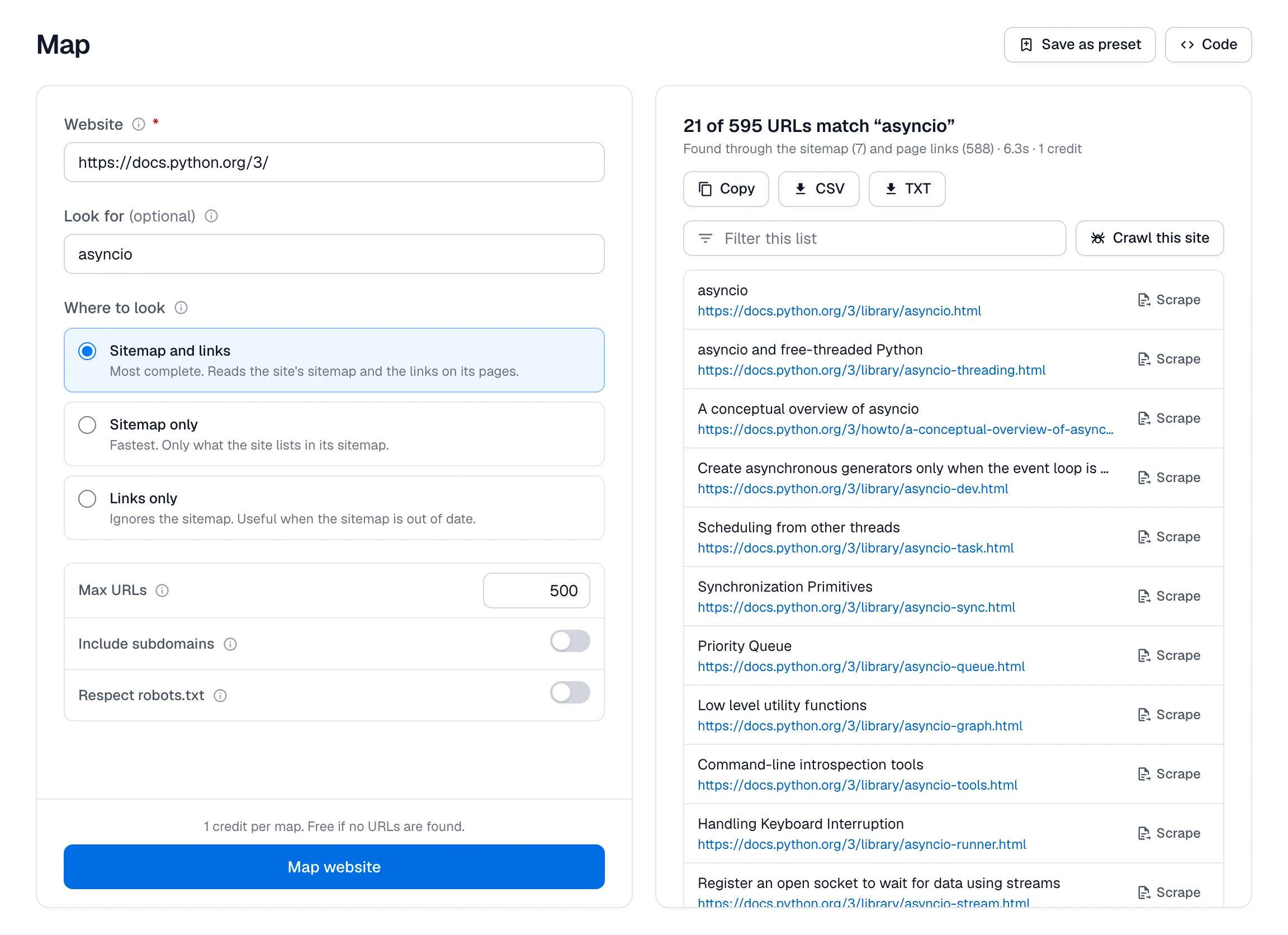
Map lists the pages it finds through a website's sitemap and links, without scraping the content of every page.
You can search for relevant URLs, include subdomains, or choose whether to discover pages from sitemaps, page links, or both.
For example, map the Python documentation and search for asyncio. Spidra returns relevant documentation URLs, including the main asyncio reference and related guides.
Map can return up to 5,000 URLs in one request. From the dashboard, you can review the links, export them as CSV or TXT, or use them to start another scraping workflow.
Crawl the pages that match your goal
Crawl now takes a more focused approach to website discovery. Describe the pages you want in plain language, such as individual product pages in a category or articles in a documentation section, and Spidra follows relevant links to find them.
Pages visited only to discover other pages are treated as navigation pages. They aren't included in the returned dataset or charged as crawled results.
You also have more control over the process:
- Path filtering: Include or exclude specific sections of a website.
- Crawl reports: See how Spidra interpreted your request and why certain URLs were skipped.
- Larger crawls: Retrieve results through paginated responses and download them for further processing.
The dashboard also makes it easier to inspect completed jobs and their results.
Map and the improved Crawl are available through the Spidra dashboard, API, SDKs, and MCP server.
Read the Map documentation and Crawl documentation, or open Spidra to try them.